Inside Sanad
One workspace, four essentials.
Every screen below is the real Sanad interface — not a mockup.
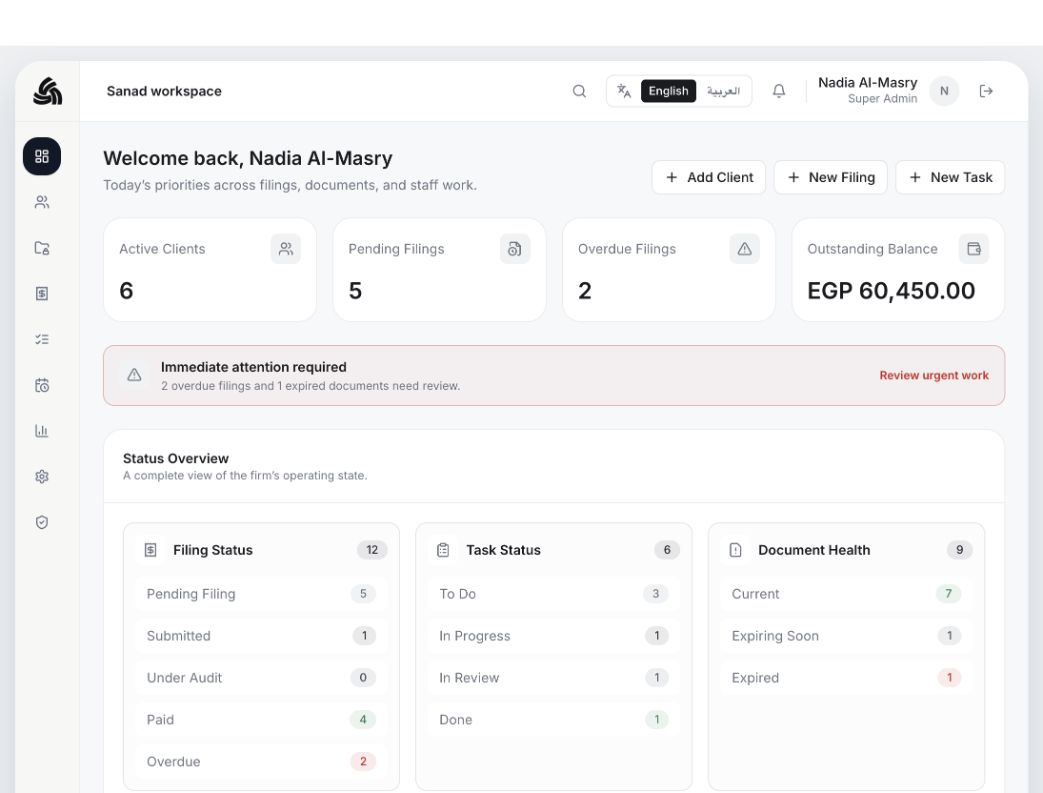
Your practice at a glance
Sanad Cloud
How Sanad works
From client intake to paid filing, every step stays visible.
Sanad connects the daily handoffs inside your practice, so client work moves through one shared flow instead of separate spreadsheets, folders, and chat messages.
- 01
Add the client profile
Capture company details, tax registration, tax district, commercial register, and ownership context in one record.
- 02
Upload compliance documents
Attach tax cards, commercial registers, e-invoicing tokens, filings, and supporting files under the right client.
- 03
Track the filing deadline
Create the VAT, income, payroll, stamp, or withholding tax filing with due dates, status, and amount due.
- 04
Assign the team task
Turn the filing into clear staff work with an owner, priority, due date, and review path.
- 05
Generate invoice or receipt
Keep billing tied to the filing record, then issue the invoice or receipt when the work is ready.
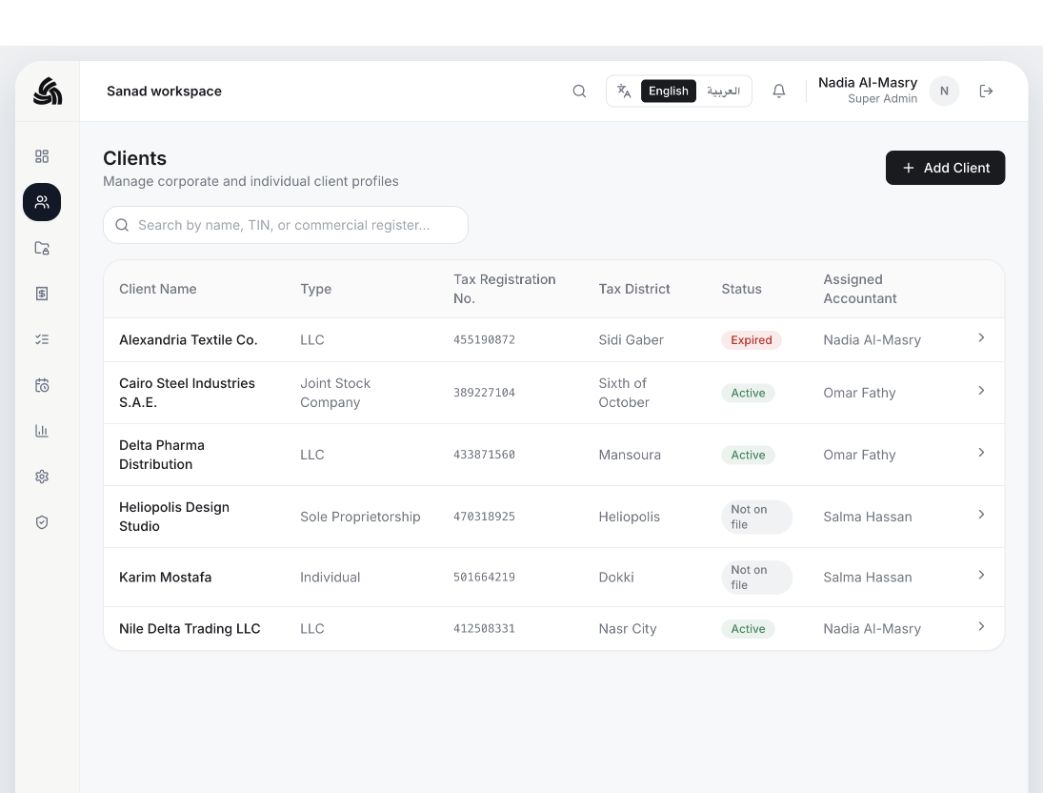
Client Records
Know every client, at a glance
Store Egyptian-specific details for each client — tax registration number, commercial register and its expiry, tax district, social insurance number, and power of attorney status — plus who on your team is responsible for them.
Sanad Cloud
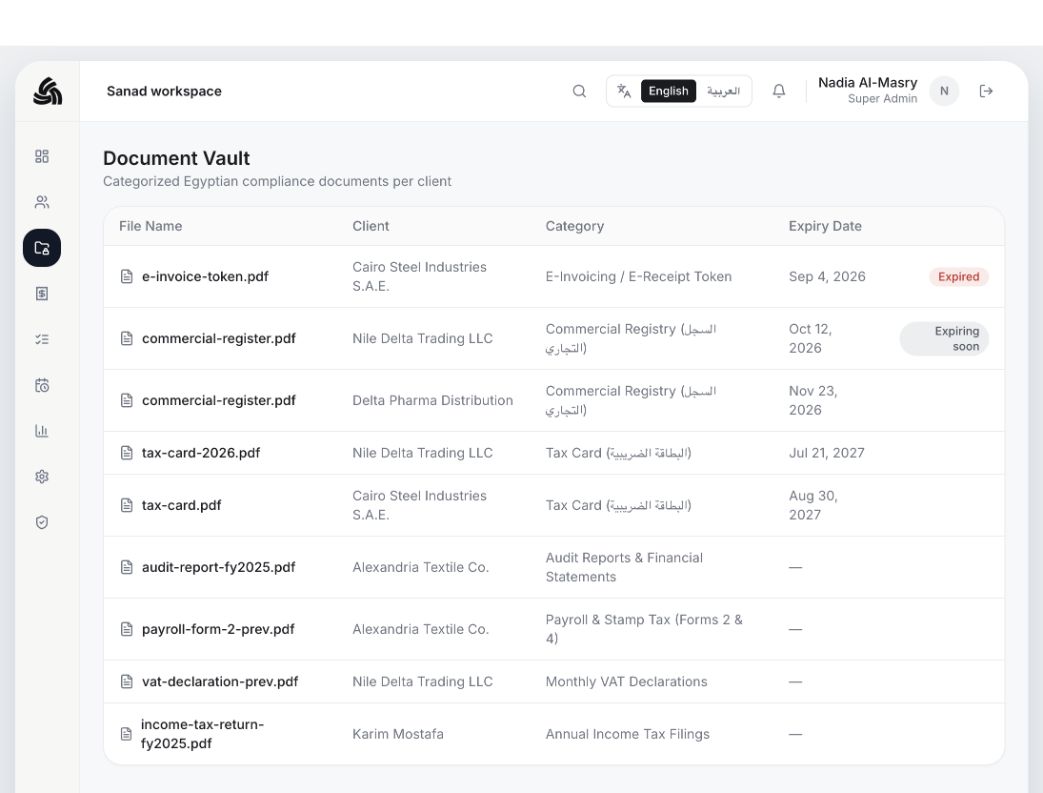
Document Vault
Never miss an expiring document
Every tax card, commercial registry file, e-invoicing token, and filing lives under the right client, in the right category, with automatic alerts before anything expires.
Sanad Cloud
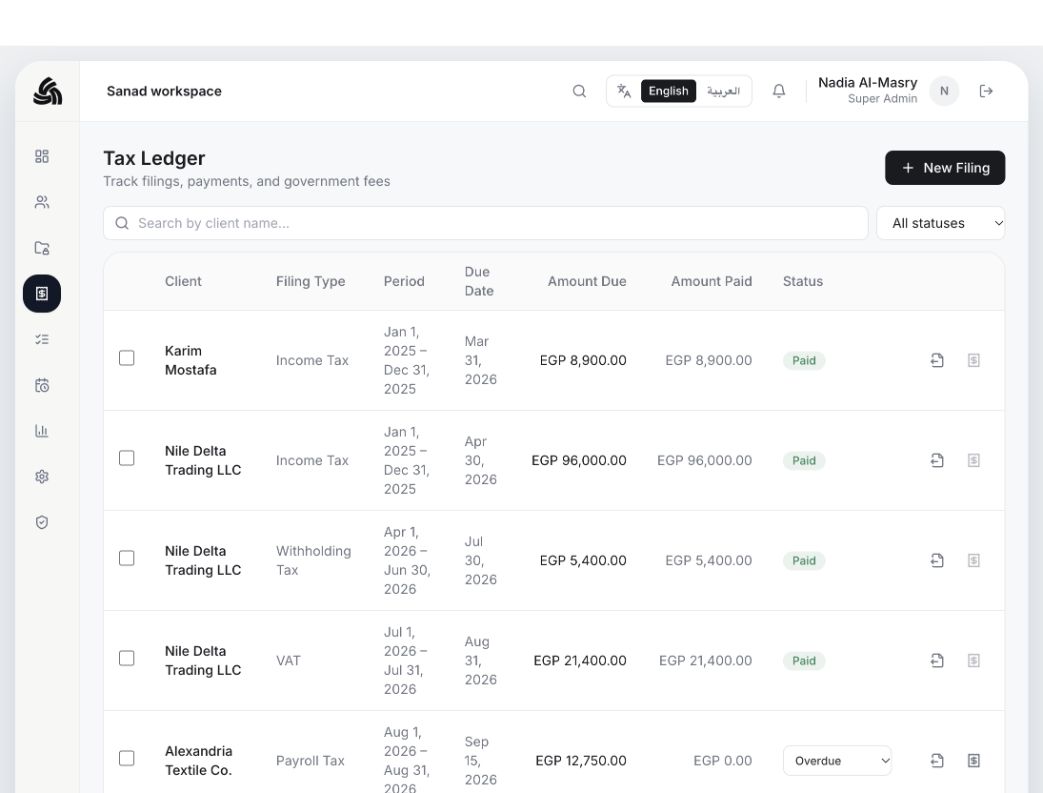
Tax Ledger & Filings
Every filing, tracked to payment
Follow VAT, income, payroll, stamp, and withholding tax filings from due date through payment, and generate invoices and receipts without leaving the ledger.
Sanad Cloud
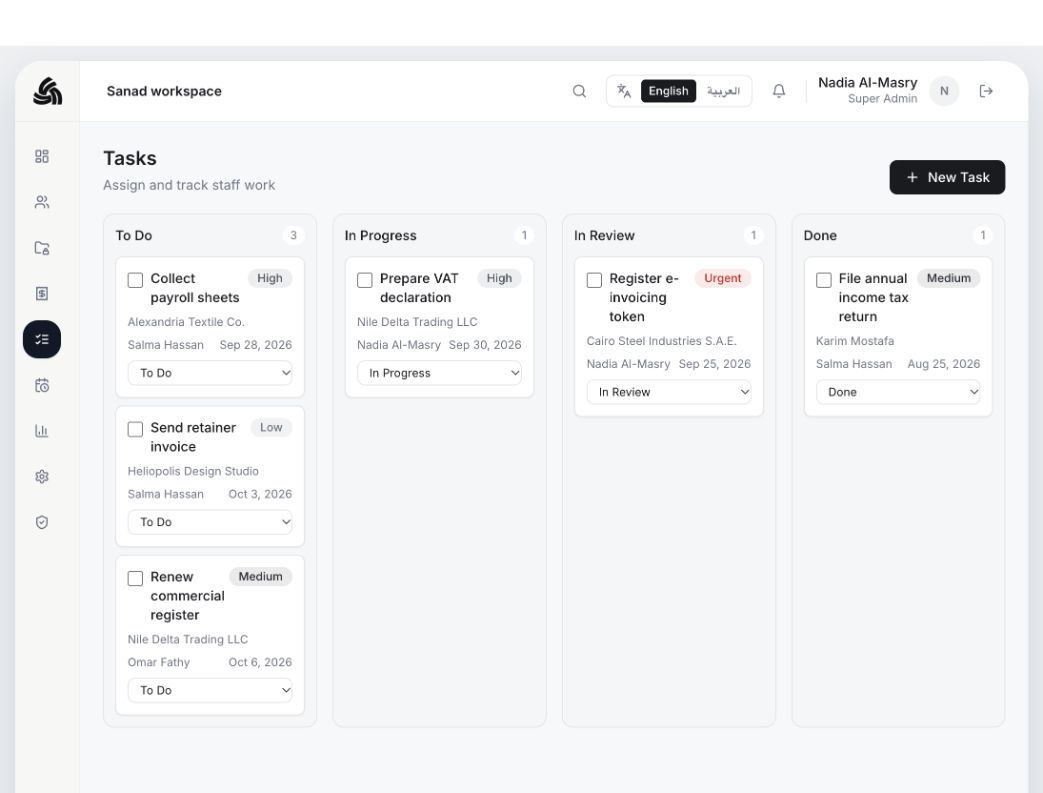
Task Management
Work assigned, not lost in chat
Partners and seniors assign work directly to staff. Everyone sees their own board, from to-do to done, so nothing depends on someone remembering a message.
Sanad Cloud
Get started
Ready to run your
practice on Sanad?
Start using Sanad today.